
NOTEArchived at v0.1 (2026-08-07) — frozen, not actively maintained. This design is retired from active CI to save render cycles. To improve it, fork the repo, update it against current CI, and contribute it back as a derivative per the repo's lineage tracking (see also CLAUDE.md → "Archived designs").
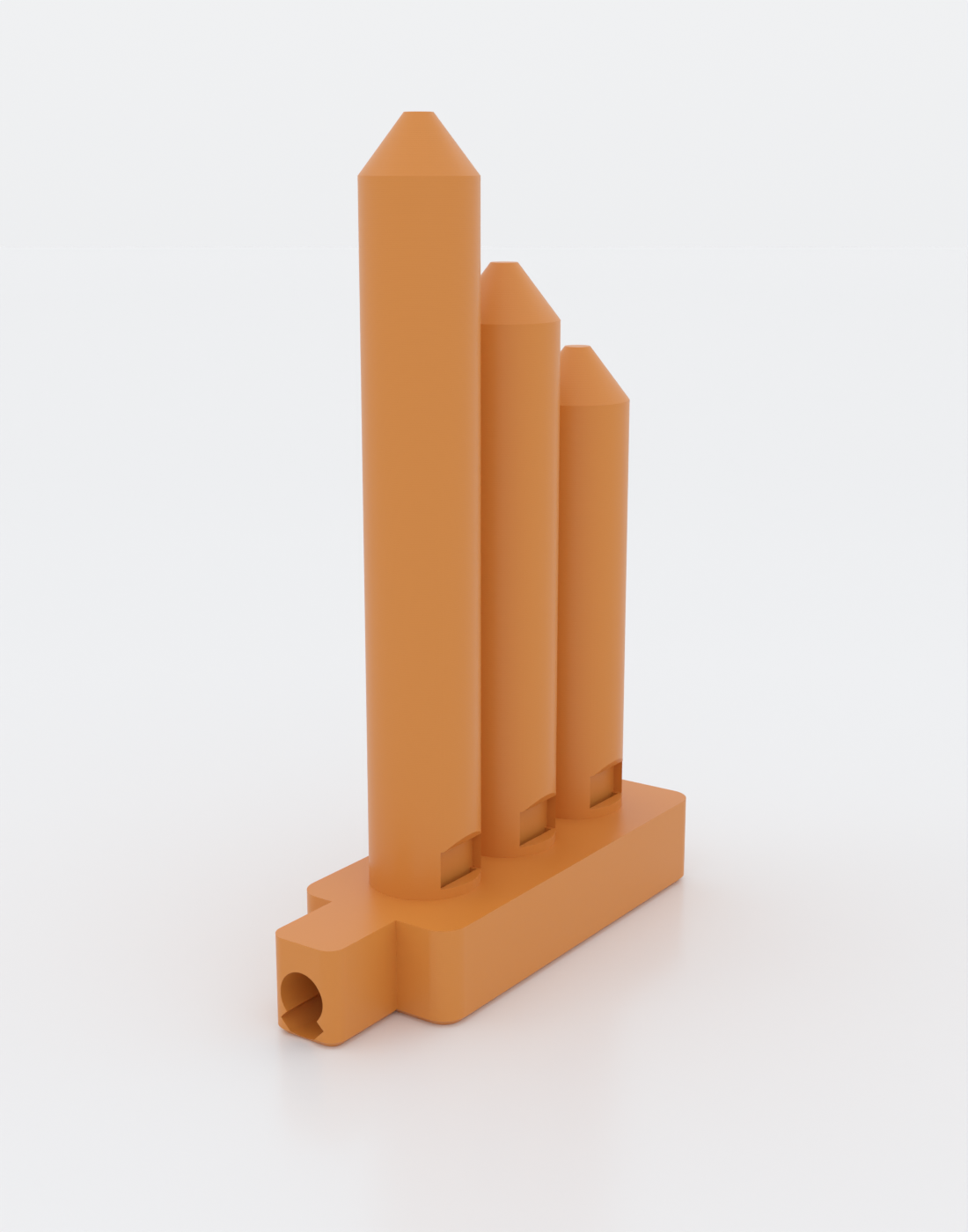
One breath, a whole chord. aerochord is a print-in-place wind instrument with no equivalent in the historical record: a single mouthpiece feeds a shared plenum that splits into several internal fipples (the flue-and-edge sound maker of a recorder or tin whistle), each voicing its own closed pipe tuned to a note of a chord. Blow once and every voice speaks together. It prints as one piece, standing up, with no supports — the intricate internal air path only works because it was solved to be printable. For anyone who wants an instrument that is impossible to buy and faintly impossible to explain.
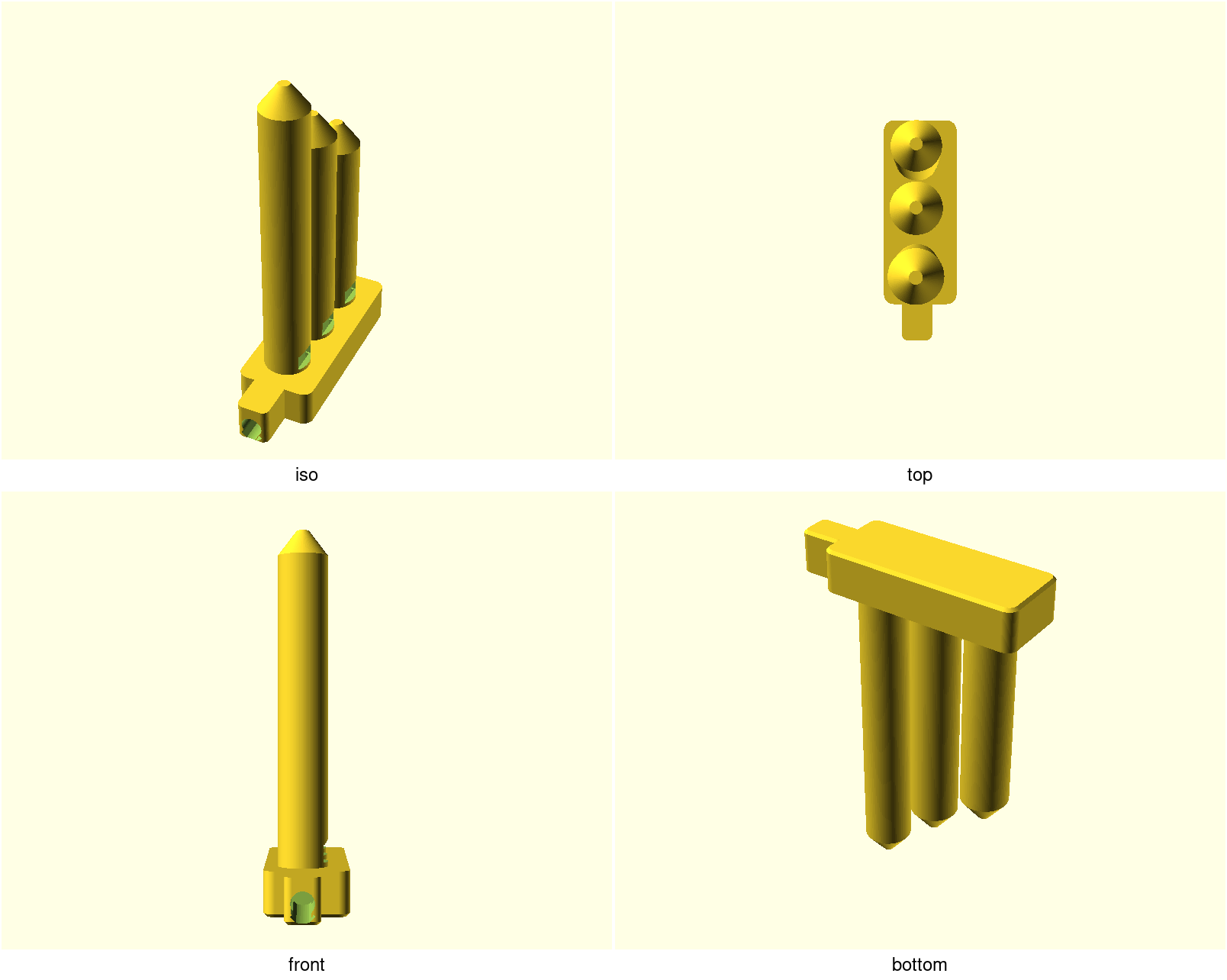
The three graduated pipes are the three voices of the default major triad — the tallest is the lowest note. The windows (mouths) sit at the front base of each pipe; the mouthpiece snout you blow into is at the front, resting on the bed.
How it works
A recorder makes sound with a fipple: your breath is squeezed into a thin flat
jet (the flue) and thrown across a window at a sharp edge (the
labium), which splits it and sets the air in the pipe oscillating.
aerochord puts one fipple per voice and feeds them all from a single
plenum (a shared air reservoir), so a single breath drives several pipes at
once. Each pipe's length is solved from the closed-pipe relation
f = c / (4·L) so its pitch is one note of the chosen chord.
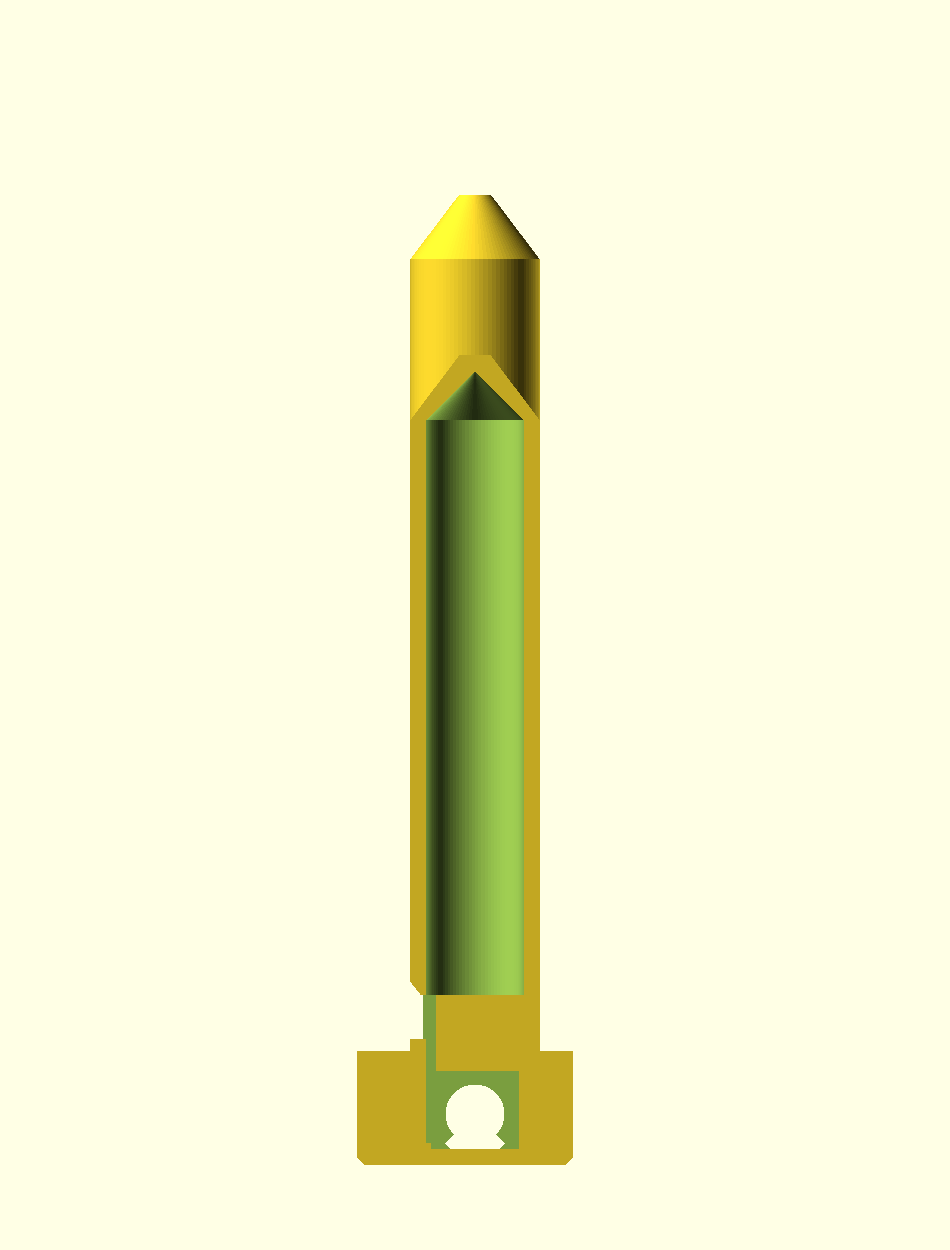
A cutaway through one voice shows the whole path — mouthpiece → plenum → windway → flue → window → labium → the closed-pipe bore with its self-supporting conical top:
…and the fipple itself close up — the thin windway, the flue exit, the open window, and the beveled labium:
Honest note on sound. The repo's gate proves this print is watertight, printable, and sliceable — it does not prove the pitch or that a given voice speaks. Those depend on fine fipple geometry and airflow that only a physical print confirms. The dimensions follow documented whistle/recorder practice, and the design ships a one-voice coupon and a
tuneknob precisely so you can calibrate on a short print. Treat the printed pitches as nominal and expect to tune. SeeNOTES.mdfor the full acoustic derivation and caveats.
What you get
A single print-in-place object — no assembly, no supports, no fasteners.
aerochord— the full instrument, default 3 voices (approx. 22 × 67 × 106 mm, ~4 h, ~26 g PLA)aerochord-coupon— print this first: one voice to dial in the fipple and pitch on a ~1 h print before committing to the full chord
Print settings
- Material: PLA (or PETG). Any color; the sound doesn't care.
- Layer height: 0.2 mm. Finer layers only sharpen the labium.
- Nozzle: 0.2 mm or 0.4 mm (a 0.4 mm nozzle is assumed throughout). The thin 1 mm flue is the make-or-break feature — a larger nozzle can't form it.
- Infill: 15–20 % is plenty; the acoustic volumes are the hollow bores, not infill.
- Supports: none needed. Everything is self-supporting by construction.
- Orientation: exactly as it renders — base flat on the bed, pipes up.
- Brim: recommended. The instrument is tall and slim; a 5 mm brim keeps it planted. The slicer's generic "stability" warning is expected and is what the brim answers.
- Print the coupon first (
aerochord-coupon.scad) and tune before the full run — seeNOTES.md→ Print this first.
Parameters
All parameters live at the top of aerochord.scad, grouped in Customizer
sections. The ones most worth touching:
| Parameter | Default | What it does |
|---|---|---|
chord_ratios | [1, 5/4, 3/2] | The chord, as just-intonation ratios. [1, 6/5, 3/2] = minor; add 2 for a root+octave; more entries = more voices |
root_freq | 1046.5 Hz (C6) | Pitch of the lowest voice. Lower = taller, floppier pipes; higher = shorter, sturdier |
tune | 1.0 | Scales every pipe length together to correct measured pitch. Set tune = measured/target after a test print (pitch ∝ 1/tune, so >1 lengthens tubes and lowers pitch) |
flue_h | 1.0 mm | Windway air-gap — the critical FDM feature. Raise in 0.1 mm steps if a voice won't speak. Guarded ≥ 0.8 |
cutup | 4.5 mm | Flue-to-labium distance; the fipple's tone control. Breathy → lower it; shrill → raise it |
bore_d | 10 mm | Pipe bore diameter — louder/lower-impedance when wider |
window_corr | 2 mm | The open-window end correction folded into every tube's length so the chord intervals stay true (see NOTES). ~0.3–0.6 × bore radius; calibrate physically if the intervals sound off |
Override on the command line, e.g. a warmer minor chord an octave down:
export OPENSCADPATH="$PWD/lib:$PWD"   # so `use <printability.scad>` resolves
xvfb-run -a openscad -o build/aerochord.stl \
  -D 'chord_ratios=[1, 6/5, 3/2]' -D 'root_freq=523.25' \
  designs/aerochord/aerochord.scad
(Or just ./scripts/render.sh aerochord, which sets OPENSCADPATH for you.)
Assembly & use
No assembly. Snip the brim, clear any stray strands from the windows and the
flue slots (a slip of paper or a 0.3 mm feeler through each window helps), and
blow steadily into the mouthpiece. All voices should sound at once. If one is
silent or airy, that's a fipple to tune — see NOTES.md → Print this first.